
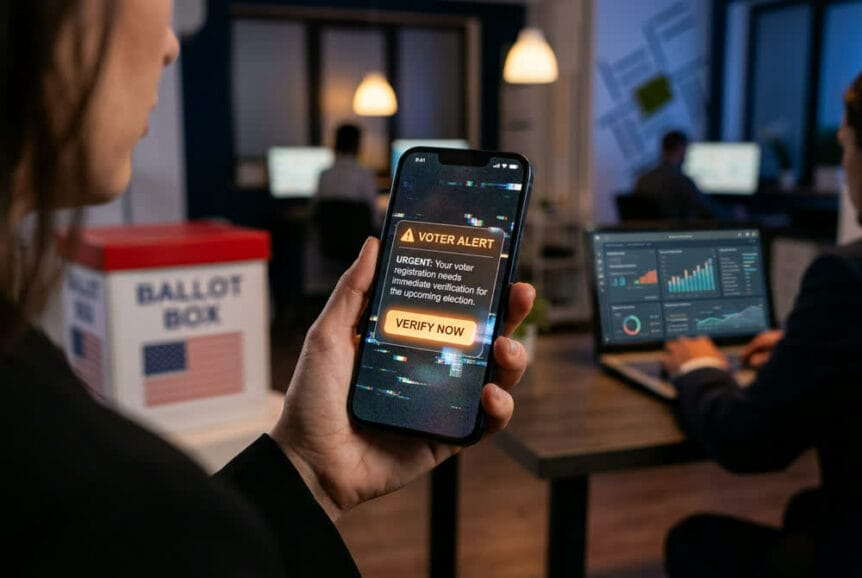
“Your voter registration is inactive. Act now.”
A message like that is designed to get your attention. So is an urgent donation appeal or a text that looks like it came from a campaign you recognize. As the midterm elections approach, scammers may take advantage of election deadlines and concerns about voting to create urgency and pressure you into clicking a link, sharing personal information, or sending money.
The good news? You do not have to be able to spot every fake. When an unexpected message asks you to act quickly, slow down instead. Verify the request using a trusted source you find on your own, not the link, phone number, or contact information provided in the message.
Key Takeaways
- Expect election-themed lures: Be cautious with unexpected registration warnings, donation appeals, and messages demanding action before an election deadline.
- Check through an independent source: Visit your county Supervisor of Elections website using a known address rather than following a link in an unsolicited message.
- Protect your information and money: Verify the request before entering personal details, signing in, or making a payment.
- Polished does not mean trustworthy: Professional wording, familiar logos, and convincing voices are not proof that a request is genuine.
- Speak up after a mistake: If you shared information or responded to something suspicious, seek help promptly. If a work account or device is involved, report it through the proper support channel.
Election Messages That Deserve a Second Look
Election scams borrow the language of legitimate reminders: check your registration, support a candidate, confirm your details, or act before a deadline. The subject may be familiar, but the requested action deserves a separate check.
For example, a text might claim that your Florida voter registration has been flagged and ask you to “verify immediately.” Rather than trying to decide whether the text looks official, leave the message and check your status through your county Supervisor of Elections website.
| Message or Lure | What It Asks You to Do | Safer Response |
|---|---|---|
| Voter registration warning | Follow a link to correct an inactive registration or confirm personal details. | Check your status independently through your county Supervisor of Elections website. |
| Polling place or voting update | Open a link or attachment for an urgent change to voting information. | Confirm the information directly with the election office rather than relying on the message. |
| Campaign donation appeal | Send money through a supplied link, sometimes under intense deadline pressure. | Reach the organization independently and confirm where the donation is going before paying. |
| Campaign merchandise offer | Enter payment details at an unfamiliar store promoted through a message or advertisement. | Verify the seller independently before providing payment information. |
An unexpected message is a reason to check, not proof of fraud. The goal is to separate the message from the decision: confirm the underlying request somewhere you already trust.
Why Appearance Alone Is Not Enough
AI tools can help scammers produce polished messages and convincing audio or video impersonations. A message does not become trustworthy because it has good grammar, uses a real logo, or appears to reference your interests.
The same principle applies to a familiar-sounding voice. If someone asks for money or sensitive information, confirm the request through a separate, trusted channel before acting. You do not need to settle whether the recording or message is artificial to make a safer decision.
Do not let an urgent message choose how you verify it. A link, phone number, or reply address supplied in the message is part of what needs checking. Use contact details or a website you obtain independently.
A Simple Verification Habit
Use this approach whenever an election-related message asks for information, money, or a sign-in:
- Pause: Do not let a deadline pressure you into clicking, paying, or sharing information before checking.
- Go independently: Open the official website using a known address, or contact the organization using details already in your records.
- Confirm before acting: Check whether the request is genuine and what action, if any, is actually needed.
This is more useful than relying on spelling mistakes or trying to judge whether a website looks professional. If you cannot confirm the request, do not proceed through the original message.
A Personal Scam Can Still Affect Work
Protecting your identity and personal finances is reason enough to be careful. There can also be a business impact when a stolen password is reused for work, a suspicious message reaches a company inbox, or a compromised device accesses company information.
Keep personal and work passwords distinct, and use stronger sign-in protection where available. At work, unexpected payment requests and changes to banking details should still follow established verification procedures, regardless of an election deadline or who appears to be asking.
For business owners and operations managers, a short reminder to staff is a useful first move: expect election-themed messages, verify independently, and report anything suspicious without fear of blame. Broader protections such as email filtering, device updates, and stronger account security support those habits, but do not replace them.
If You Already Responded
If you clicked a link, entered information, or sent money, focus on what happened next rather than feeling embarrassed. Stop interacting with the message and seek help promptly. Be ready to explain whether you entered a password, provided personal information, downloaded something, or made a payment.
If payment information or money was involved, contact the financial institution through its established app or a known phone number. If you entered a password, change it through the legitimate service and address any other accounts where you reused it. For a work account or device, report the incident through the usual support channel so the response can match what happened.
Election season gives scammers a timely reason to ask for your attention. It does not give them a reason to bypass your judgment. For South Florida businesses and the people who keep them running, the practical habit is the same: pause, verify independently, and ask for help when something does not add up.
If it would help to review how your current protections handle phishing, that is a conversation we are glad to have whenever you are ready.