
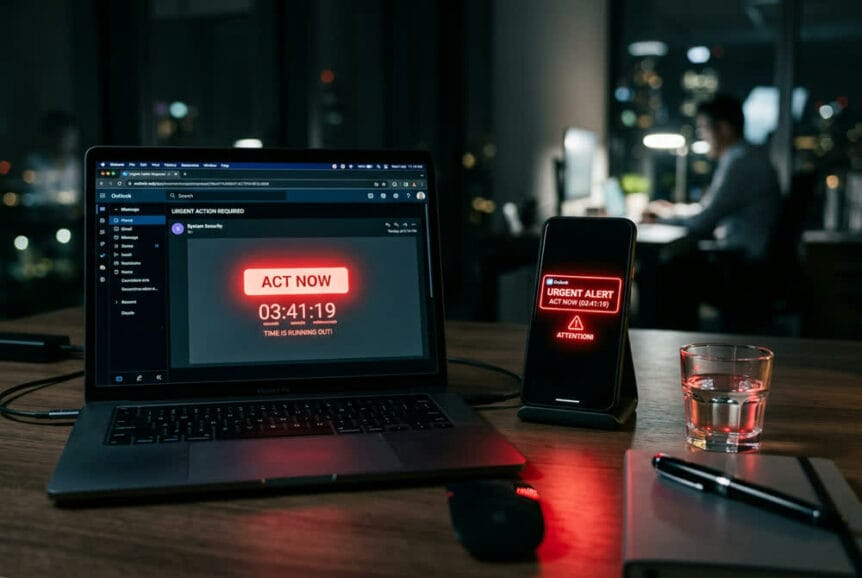
For years, common phishing advice focused on spelling mistakes and awkward phrasing. Those clues can still raise suspicion, but clean writing does not establish trust. AI writing tools let attackers produce polished, professional messages that appear to come from your bank, a vendor, an executive, or your IT provider.
A fake payroll notice can read like a real one. Some research also suggests AI-generated phishing emails get past email security filters more often than traditional attempts. Rather than judging a message by how well it is written, pay attention to what it asks you to do and whether it pressures you to act before checking.
Key Takeaways
- Polish proves nothing: A well-written, professional-looking email can still be fraudulent.
- Pressure is a cue to pause: Urgency does not prove a message is a scam, but it should not override your normal checks.
- Verify independently: Confirm unusual requests through an established, trusted route, not the contact details supplied in the message.
- High-risk requests need consistent checks: Payments, banking changes, access changes, and sensitive data requests deserve verification regardless of how legitimate they look.
The Urgency Trap: How Time Pressure Changes Decisions
AI has improved the packaging, but the strategy underneath has not changed. Attackers create artificial deadlines, manufacture crises, and apply pressure to get you past the checks you would otherwise use.
People are noticing the tactic. In polling from KnowBe4, 34% of respondents named “pressure to act quickly” as the main sign an email is fraudulent, ahead of unfamiliar sender addresses (23%), demands for confidential data (23%), and grammatical mistakes (20%). Recognizing that pressure is useful. The harder part is pausing when the request feels important.
Why Rushing Works Against You
A threat of account suspension, a missed payment deadline, or an unhappy executive can draw your attention toward resolving the immediate problem. Checking the sender or questioning the request starts to feel like an obstacle rather than a necessary step.
That is the attacker’s goal: make delaying feel riskier than complying. Once you are focused on the apparent emergency, you may overlook a slightly wrong sender address or a request that skips the usual process.
Urgency often comes with authority or secrecy. A message appears to come from someone senior, calls the matter confidential, and insists that you act now. The combination makes an unusual request feel difficult to question.
Common Urgency Tactics
The following examples are illustrative, but the pattern is consistent: create pressure, then direct the reader toward an action.
| Tactic | What it sounds like | What the attacker wants |
|---|---|---|
| Account suspension threat | “Your account will be suspended in 12 hours unless you verify your identity.” | You to enter your login details on a fake page. |
| Urgent payment demand | “This invoice is overdue” or “Our banking details have changed. Update them today.” | A payment sent to an account they control. |
| Fake IT or security alert | “Suspicious activity detected. Reset your password immediately to avoid lockout.” | You to follow a link to a fraudulent login page. |
| Executive impersonation | “I need a wire sent before end of day” or “Buy gift cards for a client. Keep this between us.” | Money, gift card codes, or sensitive information without the usual checks. |
Pause and Verify Before Acting
When a message pressures you to act, step outside the conversation and check the request independently. A real deadline does not remove the need for verification.
This works best as a routine, not something reserved for messages that look suspicious. A convincing message should face the same checks as an awkward one.
Know Which Requests Need Verification
- Money movement: Wire transfers, ACH payments, unusual invoice payments, or gift card purchases.
- Banking or payroll changes: New account numbers, direct deposit updates, or changes to payment routing.
- Credential or access changes: Password or MFA resets, login changes, or requests to grant app permissions.
- Sensitive data: W-2 forms, employee lists, customer information, or confidential documents.
- Exceptions to normal procedures: Requests to bypass approvals or hide an action from people who would normally be involved.
Urgency should not override your normal verification process. Apply the checks appropriate to the action, even when the request appears to come from someone you know.
Use a Separate, Trusted Channel
For an internal request, contact the person using an established route, such as a phone number from your company directory or existing contacts. Do not use a number supplied in the message you are checking.
For a supplier or other external organization, use contact information already held in your records or contracts. If a message claims to come from your bank or a service provider, open its official website through a saved bookmark or a known address rather than following the email’s link.
Confirm the specific action being requested. For a supplier banking change, that means checking the change with an established supplier contact, not simply asking whether an invoice is genuine. Any separate checks with your financial institution should support that process, not replace confirmation with the supplier.
Starting a new email to a known address is not sufficient independent verification for a high-risk request. If that mailbox has been compromised, the attacker may be able to answer. Follow the established approval process before sending money, changing payment details, granting access, or releasing sensitive information.
Report Suspicious Requests
At work, use your organization’s reporting process when something seems wrong. That may be a “Report Phishing” button, a designated email address, or a call to your IT provider or security contact. You do not need to prove that a message is malicious before raising a concern.
Reporting gives the people responsible for investigating a chance to assess the message and warn others who may have received it.
What Leaders Can Put in Place
Employees should not have to choose between following a safe process and satisfying an urgent request from someone senior. Clear procedures and consistent leadership make verification easier to carry out.
Require Independent Approval for High-Risk Actions
Use a second person to independently verify and approve high-risk actions, such as wire transfers or payment-routing changes. The second approver should do more than review the same email chain.
For supplier banking changes, require confirmation through an established supplier contact before updating the records. Supporting paperwork can document the request, but it should not replace independent confirmation.
Make False Alarms Safe
Thank people who report suspicious messages, including those that turn out to be legitimate. Employees should feel comfortable saying, “This seemed unusual, so I checked,” without worrying that they will be criticized for slowing things down.
Reinforce that following the verification process matters more than responding quickly to an unconfirmed request.
Model Verification From the Top
Executives should follow the same procedures as everyone else. A leader who says, “Confirm this through our normal channel,” makes it easier for employees to question the next urgent request.
Build those expectations into onboarding and everyday workflows. Verification should be routine, not an exception that requires permission.
Support the Process With Technical Protections
Email security controls can help identify impersonation, inspect suspicious links and attachments, and remove messages later identified as malicious. These protections support the verification process, but they do not establish that every message reaching an inbox is trustworthy.
Keep training connected to the decisions employees actually face: an urgent payment, an unexpected login request, or a demand to bypass approval. The useful habit is recognizing when to stop and check, not just spotting a poorly written email.
Turn Urgency Into Your Cue to Slow Down
The urgency trap works by making delay feel riskier than action. When a message pushes you to act immediately, treat that pressure as a reason to pause, verify independently, and follow your normal process.
You do not have to decide whether a message is fraudulent from its wording alone. You need a reliable way to check the request before acting on it.