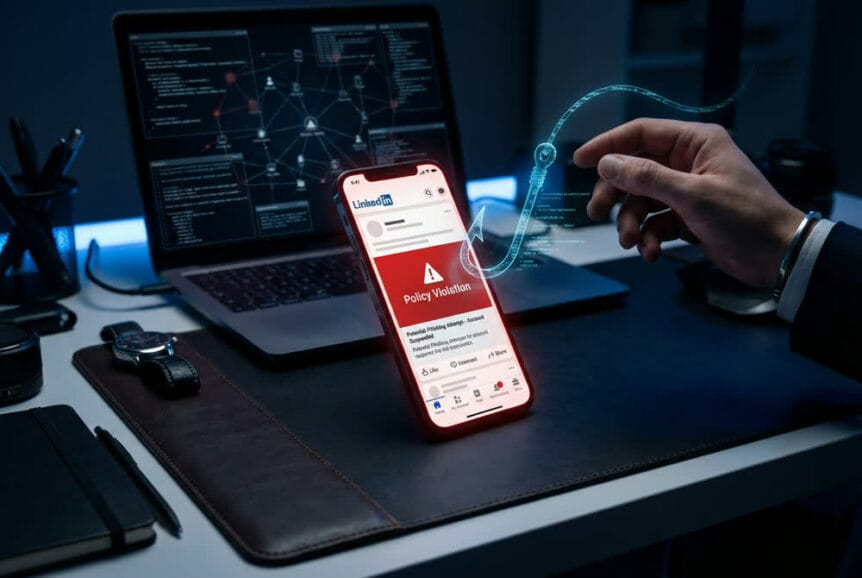
A sophisticated phishing campaign is currently targeting LinkedIn users through an elaborate scheme that exploits the platform’s comment system. Unlike traditional email-based phishing, these cybercriminals are posting fake policy violation warnings directly on user posts, creating an alarming new threat vector for business professionals.
Security researchers have identified multiple instances of fraudulent accounts posting convincing warnings about policy violations as comment replies on legitimate LinkedIn posts. These malicious comments claim users have “engaged in activities that are not in compliance” with LinkedIn’s terms of service, allegedly resulting in temporary account restrictions. The messages then direct victims to external links under the pretense of resolving these completely fabricated violations.
The Deceptive Comment Strategy
What makes this campaign particularly dangerous is the attackers’ use of LinkedIn’s own lnkd.in URL shortening service. This technique effectively masks the true destination of malicious links, making them significantly more difficult to identify as fraudulent without actually clicking through. When users see a shortened link using LinkedIn’s official domain, they naturally assume it leads to a legitimate LinkedIn page.
The fake profiles behind these comments closely resemble LinkedIn’s official branding, using variations like “Linked Very” combined with authentic LinkedIn logos. These fraudulent company pages are designed to create an appearance of authority that can easily fool unsuspecting users, especially when viewed on mobile devices where interface elements appear more compressed and harder to scrutinize.
Visual Deception Techniques
The phishing messages demonstrate a high level of sophistication in their visual presentation. Security professionals who have documented these attacks report seeing messages that state: “We take steps to protect your account when we detect signs of potential unauthorized access. This may include logins from unfamiliar locations or…” The text appears alongside link previews that further enhance the illusion of legitimacy.
These fraudulent comments incorporate LinkedIn’s official logo and maintain consistent branding elements throughout the message. The attackers understand that users scrolling through comments on their mobile phones are less likely to scrutinize every detail, making the mobile interface an ideal environment for this type of social engineering attack.
Multi-Stage Credential Theft Process
Analysis of the phishing infrastructure reveals a carefully orchestrated process designed to harvest user credentials. When victims click on the malicious lnkd.in links, they’re first directed to landing pages that present detailed explanations of the supposed account restrictions. These initial pages maintain the LinkedIn aesthetic while presenting a “Verify your identity” button that appears to be part of a legitimate security process.
Clicking this verification button triggers a redirect to secondary domains where the actual credential theft occurs. These pages present convincing login forms that capture usernames and passwords as soon as users enter them. The entire process is designed to feel like a normal security verification, when in reality it’s capturing credentials that attackers can use to compromise both personal and business accounts.
Fake Company Profile Infrastructure
The operation relies heavily on a network of fraudulent company pages that impersonate LinkedIn itself. Research has revealed that multiple such accounts can emerge within a single week, demonstrating the scale and coordination of this campaign. While LinkedIn’s security teams actively work to identify and remove these malicious profiles, new ones continue to appear as the campaign evolves.
This cat-and-mouse dynamic presents ongoing challenges for both the platform and its users. The attackers have clearly invested significant resources into maintaining this infrastructure, suggesting a well-funded operation targeting valuable business credentials.
Identifying Legitimate vs. Fraudulent LinkedIn Communications
Understanding how LinkedIn actually communicates with users is critical to avoiding these phishing attacks. LinkedIn has confirmed a crucial point that every user needs to remember: the platform does not and will not communicate policy violations to members through public comments. This single fact immediately identifies any such comment as fraudulent.
Official LinkedIn Communication Methods
When LinkedIn needs to notify you about account restrictions or policy violations, they use specific, official channels. You’ll receive email notifications from LinkedIn Customer Service that explain the specific reason for any restriction. These emails include case ID or reference numbers that you can use for follow-up purposes.
Additionally, legitimate notifications appear as in-app dashboard messages displayed when you log into your LinkedIn account through the official website or mobile application. These messages cite clear policy references explaining which Professional Community Policy or guideline was violated and provide specific recovery steps recommended by LinkedIn.
Red Flags of Phishing Attempts
Beyond the fundamental fact that LinkedIn never uses public comments for policy notifications, several other warning signs can help you identify phishing attempts. Brand-new profiles revealed in the “About this profile” section should raise immediate suspicion, especially when claiming to represent LinkedIn’s administrative functions.
Watch for profiles with thin or mismatched experience despite claims of executive positions or recruiter roles. These accounts often list vague responsibilities filled with buzzwords instead of real job functions. The absence of LinkedIn’s official verification badge is another major red flag, as authentic LinkedIn administrative accounts would certainly carry this authentication.
Unexpected urgency language pushing you toward immediate action represents a classic social engineering tactic. Legitimate security notifications don’t create artificial time pressure or threaten permanent account loss unless you act within minutes.
Technical Warning Signs
Even when shortened URLs use LinkedIn’s official lnkd.in service, you should approach them with caution in unexpected contexts. Hover over links before clicking to preview the destination when possible. If a link appears in a comment claiming to be from LinkedIn but leads to a domain outside of linkedin.com infrastructure, that’s a clear indicator of fraud.
Should you accidentally click through to a phishing page, watch for unusual elements like custom CAPTCHAs or credential prompts that don’t match LinkedIn’s standard login flow. Legitimate LinkedIn pages maintain consistent design patterns and security features that phishing sites struggle to perfectly replicate.
Protecting Your Business from LinkedIn Phishing Attacks
The implications of a compromised LinkedIn account extend far beyond personal embarrassment. When an employee’s professional account falls victim to these attacks, your entire corporate network faces significant risks.
Immediate Response Protocol
If you suspect you’ve entered your credentials into a phishing site, act immediately. Disconnect your device from the internet to prevent potential malware from exfiltrating additional data. Change your LinkedIn password using the official website, utilizing password recovery features if you’ve been locked out.
Enable two-step verification immediately to add an extra layer of protection requiring a code sent to your phone for future logins. Review your account’s recent login activity for unfamiliar devices or locations, then log out all other sessions. Conduct a thorough audit of your profile, connections, messages, and posts for any unauthorized changes.
Run a complete malware scan on all devices you used to access the phishing site. Check whether you’ve used the same or similar credentials on other accounts, particularly work-related systems, and update those passwords immediately.
Corporate Security Implications
A compromised employee LinkedIn account creates multiple pathways for attackers to penetrate your corporate network. Cybercriminals can leverage the account’s trusted connections to distribute phishing messages and malware to colleagues, often bypassing email security tools since LinkedIn direct messages lack corporate visibility.
The reconnaissance opportunities are equally concerning. Employee profiles reveal company structure, technologies in use, and contact lists that enable tailored attacks on high-value targets like privileged accounts or internal applications. This information can facilitate lateral movement through your network once initial access is gained.
Credential reuse poses another significant risk. Studies show approximately 65% of users reuse passwords across multiple accounts. A LinkedIn credential harvested through phishing may provide direct access to corporate systems if the employee used similar login information.
Prevention and Reporting Strategies
Verification should become second nature when dealing with unexpected LinkedIn notifications. Always access your account directly through the official LinkedIn website or mobile app rather than clicking links in suspicious comments or messages. Check your actual notification center to confirm whether any alerts are legitimate.
If you encounter fraudulent comments or impersonation accounts, report them immediately. Open the suspicious profile, click the “More” button, select “Report/Block,” and choose the appropriate option indicating impersonation or fake account status. LinkedIn’s Trust and Safety team will investigate your report.
We strongly recommend implementing comprehensive security awareness training for your employees that specifically addresses social media phishing tactics. Interactive simulations using mock LinkedIn phishing scenarios help build instinctive defenses against these attacks. Regular training sessions combined with just-in-time reinforcement when employees click suspicious links create lasting behavioral changes.
Multi-Factor Authentication Limitations
While enabling multi-factor authentication (MFA) on LinkedIn accounts is essential, understanding its limitations is equally important. MFA protects your account after you’ve successfully logged in by requiring a second verification step. However, it doesn’t prevent credential harvesting when you enter your username and password into a phishing site.
When you type credentials into a fake login page, attackers capture that information immediately, before MFA ever comes into play. This means MFA serves as a critical second line of defense, preventing account access even when credentials are stolen, but it must be combined with user education and awareness to provide comprehensive protection.
The combination of technical controls like MFA, employee training on recognizing phishing attempts, and clear reporting procedures creates the layered security approach necessary to defend against these sophisticated attacks. As cybercriminals continue refining their social engineering techniques, maintaining vigilance across all these defensive layers becomes increasingly critical for protecting both individual accounts and broader corporate networks.