
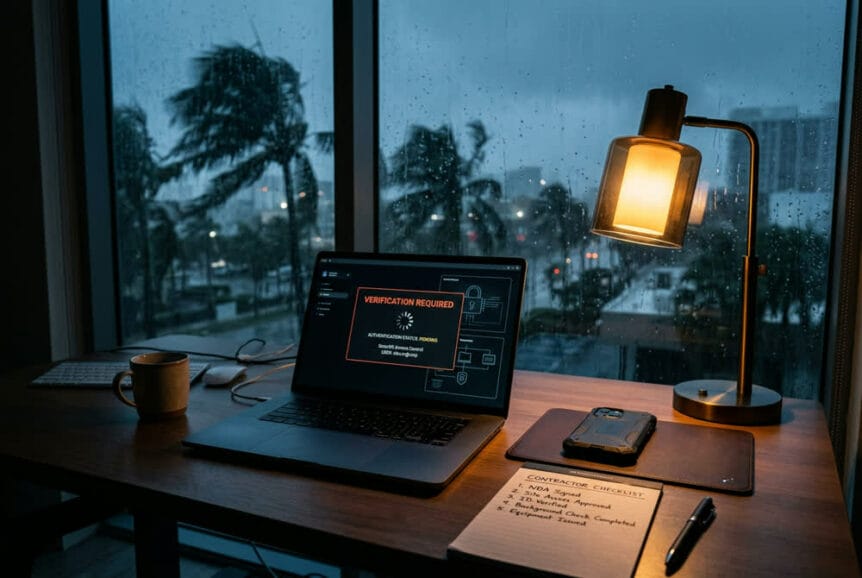
After a hurricane, getting your business running again can mean approving repairs, paying unfamiliar vendors, and helping displaced employees work from temporary locations. Scammers exploit that pressure by making fraudulent requests look like the next urgent step in your recovery.
The good news is that you do not have to choose between moving quickly and keeping basic safeguards in place.
Start with one rule: independently verify payment requests and banking changes through a known contact before money moves. A familiar name, voice, or caller ID is not enough.
Key Takeaways
- Keep payment checks in place: Urgent repairs and disrupted operations are reasons to preserve approval procedures, not bypass them.
- Verify contractors before committing: Business registration, licensing, and insurance are separate checks. A document supplied by a contractor should not be your only evidence.
- Check relief offers independently: Use official agency resources rather than links or phone numbers supplied in an unexpected message.
- Plan for secure emergency access: Employees need approved ways to work and request help when normal systems or locations are unavailable.
- Report suspected fraud promptly: A clear reporting route helps limit damage when money, account access, or business information may be at risk.
Recognize the Requests That Put Recovery at Risk
Post-hurricane fraud often looks like ordinary recovery work: a contractor offers immediate repairs, a vendor sends an updated invoice, or someone offers help securing disaster assistance. The business risk is not just the initial loss. Fraud can also delay repairs, expose sensitive information, and create more work when resources are already stretched.
Focus on what a request asks you to do, not how convincing it looks. AI-generated voices, misleading caller IDs, copied websites, and messages from compromised email accounts can make an unfamiliar request appear trustworthy.
| Request | Warning sign | Independent check |
|---|---|---|
| Emergency repairs | Pressure to sign immediately, pay in full, or skip permits | Check business registration, appropriate licensing, insurance, and local permit requirements. |
| A vendor payment or banking change | New account details or instructions to bypass normal approval | Call an established contact using a number already on file. |
| A disaster loan or relief application | Guaranteed approval, an unexpected fee, or a deadline that discourages verification | Find the program through the agency’s official website and confirm its requirements there. |
| A corporate relief donation | Pressure to donate before reviewing the organization | Check registration, tax-exempt status where applicable, and an independent charity evaluation resource. |
| An emergency account or remote-access notice | A message asking employees to sign in through an unfamiliar link or share credentials | Use the established sign-in page or support channel instead. |
Relief Offers Need Their Own Verification
Scammers use the names of agencies such as FEMA and the Small Business Administration to make offers seem credible. Before sharing financial records or applying for assistance, confirm that the program exists, that your business is eligible, and that you are using the official application process.
Find agency websites independently rather than following an unsolicited link. A copied logo, official-sounding sender name, or polished application page does not establish who is collecting your information. Requests for gift cards, cryptocurrency, or payment to an individual should stop the transaction while you verify the offer.
Apply the same discipline to corporate donations. Use established approval procedures, check the organization through official registration and tax resources, and confirm where the donation will go before paying.
Verify Contractors and Protect Payments
A contractor’s availability is useful after a storm, but it is not a substitute for verification. Traveling contractors may provide legitimate help. Evaluate their credentials and proposed work rather than relying on where they are based, what their truck displays, or how quickly they promise to begin.
Check the Business, Credentials, and Scope
Before signing a contract or releasing money, use this verification checklist:
- Confirm the legal business name: Compare the name on the contract with the Florida business registration record through Sunbiz. Registration alone does not establish qualifications for the work.
- Check the appropriate license: Use the Florida Department of Business and Professional Regulation or the relevant licensing authority to review the credentials required for the proposed job.
- Verify insurance independently: Confirm coverage with the insurer or issuing agent rather than relying only on a certificate handed over by the contractor.
- Confirm permit requirements: Contact the local building department to establish what the project requires before work begins.
- Get the agreement in writing: Require a clear scope, materials specifications, payment milestones, and a process for handling changes or incomplete work.
Do not let an offer to “handle the insurance” replace a review of what you are signing. Documents affecting claim rights or payment authority deserve attention from your insurer or a qualified adviser before you agree. Treat promises to waive deductibles or inflate damage claims as reasons to pause and seek guidance.
Payment schedules should make it clear what work or delivery justifies each payment. Large advance payments, cash-only demands, and unexplained changes to the payee deserve additional scrutiny.
Keep Payment Approval Separate From the Request
A convincing invoice is not proof that payment instructions are legitimate. A scammer may impersonate a contractor, take over an email conversation, or pose as an executive asking for an emergency transfer.
Do not approve a payment or banking change solely because the incoming email, call, or text appears genuine. Verify the request through an independently established contact, and keep the required approval process in place.
For example, if a repair vendor emails new bank details just before a deposit is due, call the number in your existing records, not the number in that email. Confirm the change before updating payment information, then obtain the normal approval.
Define which transactions require a second authorized reviewer, including new vendors, account changes, and payments above a business-appropriate threshold. Name a backup approver before a storm so one unavailable person does not force a choice between stalled repairs and skipped checks.
Separate Quick Wins From the Preparedness Program
Some safeguards can be put in place with straightforward operating decisions. Others require configuration, testing, and ongoing maintenance. Keeping those two groups separate makes the first move clear without suggesting that a short checklist replaces a security program.
Quick Wins to Put in Place First
- Build a verified contact list: Include critical vendors, financial institutions, insurers, and support contacts. Make it available through an approved method if normal systems are down.
- Document emergency approvals: Specify who can authorize spending, when a second review is required, and who serves as backup.
- Choose a reporting route: Give employees a clear way to report suspicious requests, plus an alternative if email or other primary systems are unavailable.
- Explain how to get access help: Make sure employees know how to request approved access rather than sharing passwords or disabling protections.
Keep these instructions short enough to use during an outage. A brief recovery reference with contact details and approval rules is more useful under pressure than a policy employees cannot find.
Build Security Into Emergency Operations
Displaced employees may need to work from temporary housing or unfamiliar locations. The goal is to give them a workable, approved path to business systems before an emergency creates pressure for workarounds.
| Program area | Business purpose | Question to resolve |
|---|---|---|
| Account protection | Reduce the risk that a stolen password becomes account access. | Are important accounts protected with strong multifactor authentication, and can access be recovered securely if a device is lost? |
| Managed devices and remote access | Keep protections in place outside the office. | Which devices and connection methods are approved for emergency work? |
| Email protection and monitoring | Help identify suspicious messages and account activity. | How will warnings be reviewed and escalated while operations are disrupted? |
| Backup and recovery | Restore essential data if systems are damaged or compromised. | Are backups separated from everyday access and local storm damage, and have restores been tested? |
| Employee preparation | Make verification and reporting familiar before a crisis. | Have employees practiced handling a suspicious invoice, relief offer, or executive request? |
Practice the exceptions as well as the normal process. What happens if the usual approver is unreachable, an employee loses an authentication device, or the main reporting channel goes offline? Those situations need an approved alternative, not an improvised shortcut.
Use short, disaster-themed exercises before hurricane season and reinforce them throughout the year. Employees should know they can question unusual requests, including those that appear to come from leadership, without being blamed for slowing recovery.
Act Quickly if Something Has Already Happened
If someone has sent money, entered credentials, or approved a suspicious request, shift from verification to response. Do not wait for complete certainty before reporting the concern through the established channel.
- If money was sent: Contact the financial institution or payment provider immediately through a known number. Explain the suspected fraud and ask what options are available to stop or recover the payment.
- If account information was exposed: Contact the designated security or support contact promptly so affected access can be secured and reviewed. Stop interacting with the suspicious message or website.
- Preserve the details: Keep the messages, invoices, payment records, and relevant times. Do not delete evidence while trying to clean up.
- Prevent follow-on losses: Pause related payments or account changes and notify affected decision-makers through a trusted channel.
Recovery pressure makes mistakes more likely. A prompt report is more useful than silence, and the response process should make that clear.
Keep Recovery Moving Without Dropping Safeguards
The practical goal is not to make every emergency decision slower. It is to keep a few essential checks working when normal routines break down: verify who is asking, confirm where money is going, use approved access, and report concerns quickly.
For South Florida businesses, reviewing how those safeguards hold up during a disruption can be a useful conversation whenever you are ready.