
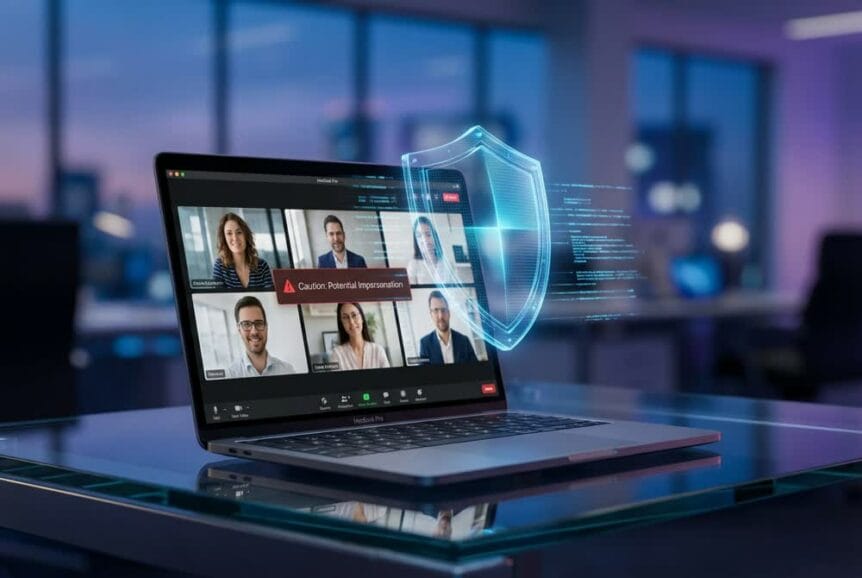
Understanding Microsoft Teams Brand Impersonation Protection
Microsoft is preparing to launch a significant security enhancement for Teams calling that will fundamentally change how organizations protect themselves against voice-based fraud. Beginning in mid-March 2026, Brand Impersonation Protection will automatically identify and alert users to potential scam calls during voice communications, representing a proactive approach to combating the rising tide of social engineering attacks.
This new security layer operates by analyzing incoming VoIP calls from previously unknown external contacts, scanning for indicators that suggest fraudulent impersonation of legitimate organizations. When the system detects suspicious patterns, Teams will present users with prominent security warnings before they engage with potentially dangerous callers, giving them critical information needed to make informed decisions about how to proceed.
What Brand Impersonation Protection Does
The fraud detection capability evaluates first-time external calls for behavioral and technical markers associated with brand impersonation schemes. Unlike traditional spam filters that simply label calls as “Spam Likely,” this advanced system specifically looks for callers attempting to masquerade as representatives from trusted institutions, government entities, or established businesses.
Users receiving flagged communications will encounter high-risk notifications that provide clear options for handling the situation. Recipients maintain full control over their response: they can proceed with the conversation if they determine the call is legitimate, immediately block the caller, or terminate the connection entirely. Notably, if risk indicators continue throughout the conversation, warning notifications may remain active to maintain user awareness, providing ongoing protection even after the call begins.
The technology operates automatically in the background, requiring no manual intervention from users or administrators. Microsoft has designed the system to integrate seamlessly with the existing Teams calling interface, ensuring that security enhancements do not disrupt normal workflow or create unnecessary friction for legitimate business communications.
Types of Threats This Feature Targets
Brand Impersonation Protection directly addresses a prevalent cybersecurity challenge that has grown exponentially in recent months. Criminals frequently masquerade as representatives from banks and financial institutions, attempting to extract account credentials or convince victims to authorize fraudulent transactions. Government agency impersonators represent another common threat vector, with scammers claiming to be from the IRS, Social Security Administration, or other official bodies to create urgency and panic.
The system also protects against fraudsters posing as technical support staff from legitimate companies, a tactic that has proven particularly effective in corporate environments. These attackers often claim there is an urgent security issue requiring immediate action, pressuring victims into granting remote access or divulging sensitive information.
Vishing attacks, which combine voice calling with phishing techniques, have surged dramatically. Data shows a 442% increase in vishing incidents during the second half of 2024 compared to the first half, with CrowdStrike recording 93 incidents in December 2024 versus just two in January of that year. This explosive growth underscores the urgent need for automated protection mechanisms that can identify and flag these threats in real time.
How Users Will Experience the New Warnings
When a potentially fraudulent call comes through, Teams users will see high-risk notifications appearing before they answer. These warnings provide context about why the system has flagged the call, allowing users to make educated decisions rather than relying solely on caller ID information, which attackers can easily spoof.
The user interface maintains simplicity while providing critical security information. Users can choose to proceed with the call if they have reason to believe it is legitimate, block the caller to prevent future contact, or terminate the connection immediately. This flexibility ensures that legitimate business communications are not unnecessarily disrupted while still providing robust protection against genuine threats.
For calls where suspicious indicators persist during the conversation, the warning display remains active, serving as a continuous reminder to exercise caution. This persistent notification approach helps protect against sophisticated attackers who may initially seem legitimate but gradually steer the conversation toward fraudulent requests.
The Growing Threat of Voice Phishing and Why This Matters
The introduction of Brand Impersonation Protection comes at a critical time when voice-based cyber attacks have reached alarming levels. Current statistics reveal that 70% of organizations experienced at least one vishing attack, demonstrating that this threat affects the vast majority of businesses regardless of size or industry.
Perhaps more concerning, 6.5% of all employees, not just those who were targeted, disclosed sensitive information to vishing scams. This statistic highlights how effective these attacks have become and why automated detection systems are essential. Human judgment alone, even with training, cannot reliably identify sophisticated impersonation attempts.
Alarming Statistics on Voice-Based Cyber Attacks
The financial impact of these attacks has been severe. Among victims of AI-powered vishing attacks, 77% suffered financial losses, demonstrating how artificial intelligence has enhanced attackers’ capabilities to create convincing impersonation scenarios. The integration of AI technology allows criminals to conduct more personalized, believable attacks at scale.
Microsoft remains the most impersonated brand in 22% of phishing attempts, making Teams users particularly attractive targets. Attackers leverage the trust associated with the Microsoft brand to convince victims that communications are legitimate, often claiming to be from Microsoft support or security teams.
Phone scam reports to the Federal Trade Commission rose 9% in the first half of 2025 compared to the same period in 2024, indicating that despite increased awareness, these attacks continue to grow in frequency and sophistication. The overall increase in vishing and phishing attacks since ChatGPT’s launch has been a staggering 1,265%, fueled by AI tools that enable scaled social engineering operations.
How Attackers Currently Exploit Microsoft Teams
Threat actors have developed specific tactics for exploiting Microsoft Teams as an attack vector. Criminals impersonate IT staff during calls to deploy remote access tools like AnyDesk, which then serve as gateways for malware such as DarkGate. These attacks typically begin with a convincing pretext about system maintenance or security updates, leveraging the natural trust employees have for their IT departments.
Device code phishing through fake Teams meeting invites and chats represents another sophisticated attack method. Attackers send meeting requests that appear legitimate, but clicking the join link initiates an authentication token theft process. Once attackers obtain these tokens, they can access corporate resources without needing passwords.
Security researchers have identified specific threat groups targeting Teams users. Storm-2372 and Storm-0324 have conducted campaigns specifically designed to exploit Teams for enterprise access, demonstrating that organized cybercrime groups view the platform as a valuable target. The TeamsPhisher tool has been used to deliver ransomware and other malicious payloads, showing how attackers have developed specialized tools for compromising Teams environments.
The Business Impact of Successful Voice Attacks
The consequences of successful vishing attacks extend far beyond immediate financial losses. Credential theft and unauthorized access can lead to data breaches affecting customer information, intellectual property, and confidential business data. The average cost of these incidents includes not only direct financial theft but also the expenses associated with incident response, forensic investigation, and remediation.
Operational disruption from malware infections can halt business processes, affecting productivity and revenue. System compromises may require extensive rebuilding of IT infrastructure, resulting in downtime that impacts customer service and business operations. Reputation damage from publicized security incidents can erode customer trust and affect future business opportunities.
Compliance violations represent another significant concern. Organizations subject to regulations like HIPAA, GDPR, or PCI DSS may face substantial penalties if voice-based attacks lead to data breaches. Regulatory bodies increasingly expect organizations to implement reasonable security measures, and failure to protect against known threats can result in enforcement actions.
Implementation Timeline and Preparing Your Organization
Microsoft has designed Brand Impersonation Protection to activate automatically, eliminating the need for complex administrative configuration. This approach ensures that all organizations benefit from the protection without requiring IT departments to allocate resources for deployment. However, preparation remains essential to maximize the feature’s effectiveness and minimize user confusion.
Rollout Schedule and Technical Requirements
The targeted release deployment begins in mid-March 2026, with general availability expected by late April. General availability timelines will be communicated through future Microsoft 365 message center announcements. Organizations participating in the targeted release program will receive the feature first, providing an opportunity to familiarize users with the new warnings before broader deployment.
The feature requires no compliance considerations or changes to existing calling policies. Organizations utilizing Microsoft Teams Calling for inbound VoIP communications will automatically receive these protections. With more than 320 million individuals using Teams monthly, the security enhancement will affect a substantial user base, making proper preparation crucial.
We recommend that IT departments prepare support personnel for user inquiries about the new security notifications. Helpdesk teams should understand how the alert system works, what triggers warnings, and how users should respond. Updating internal documentation to include information about Brand Impersonation Protection will help ensure consistent guidance across your organization.
Employee Training and Awareness Strategies
Educating staff on recognizing and responding to high-risk call warnings represents a critical preparation step. Employees should understand that these warnings indicate potential fraud, not definite confirmation, and that they need to exercise judgment when deciding how to proceed. Training should emphasize verifying caller identity through independent channels rather than relying solely on information provided during the call.
Implementing role-specific training ensures that different user groups receive relevant guidance. Team owners and administrators require focused instruction on their responsibilities for managing security settings and responding to user reports, while general users need practical guidance on handling flagged calls in their daily work.
Using attack simulation training prepares employees for real-world vishing scenarios. These simulations can help staff recognize common tactics used by attackers, such as creating artificial urgency, requesting sensitive information, or asking users to bypass normal security procedures. Organizations that conduct regular simulations report significant improvements in user awareness and response to actual threats.
Creating feedback mechanisms for users to report false positive alerts helps refine the system’s accuracy over time. Microsoft has implemented user reporting features that allow individuals to flag incorrect detections, and this feedback improves the detection algorithms. Encouraging users to report both missed threats and false positives contributes to ongoing system improvement.
Integration with Existing Security Measures
Brand Impersonation Protection complements previously implemented security features in Microsoft Teams. The malicious URL detection feature, which reached general availability in September 2025, provides enhanced protection against URL-based threats. Together, these features create a layered defense strategy that addresses multiple threat types.
The system coordinates with administrator alerts for suspicious external domain traffic, providing IT teams with visibility into potential threats targeting the organization. Enhanced reporting mechanisms through the Microsoft Defender portal integration allow security teams to analyze trends, identify targeted attacks, and respond proactively to emerging threats.
Organizations should view Brand Impersonation Protection as one component of a comprehensive security strategy. While the feature provides valuable automated protection, it works most effectively when combined with user training, strong authentication policies, and regular security assessments. We encourage organizations to review their overall security posture and ensure that voice-based threats receive appropriate attention in their risk management planning.