
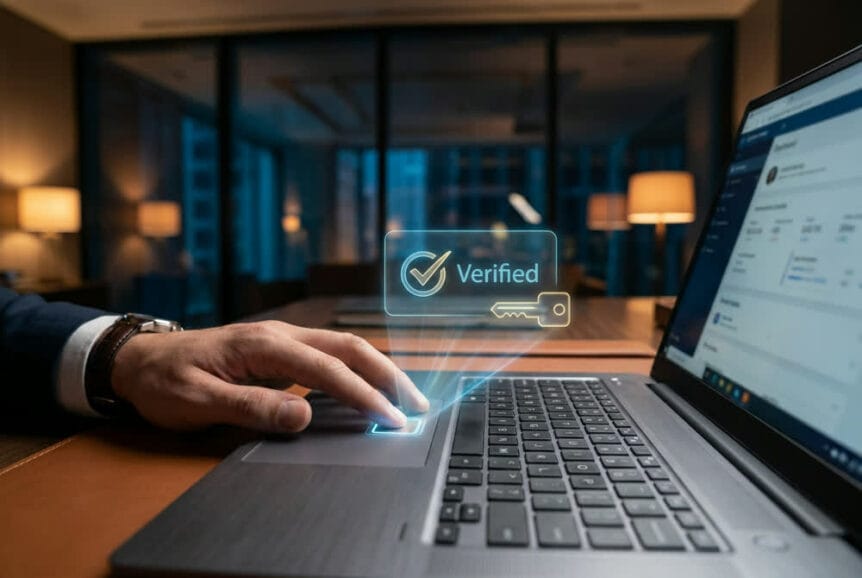
Should Your Business Go Passwordless? A Practical Look at Passkeys
Passkeys are having a moment, and the pitch sounds almost too good: no passwords to remember, no reset tickets, and phishing attacks that simply stop working. Most of it holds up. What the pitch skips is that going passwordless is a planned rollout with real steps, not a setting someone flips on a Friday afternoon.
The question is not whether passkeys beat passwords. They do. The question is whether this is the right investment for your business right now, and where to start. This article covers what passkeys actually do, what the rollout looks like, and how to decide if it fits your environment.
Key Takeaways
- Passkeys remove the shared secret: There is no password to steal, guess, reuse, or phish, because nothing secret ever leaves the employee’s device.
- Phishing stops working: A passkey is cryptographically bound to the real site, so it will not authenticate on a fake one.
- The rollout is phased, not instant: A typical small or midsize business completes the core rollout within a quarter.
- The business case varies: Heavy password reset volume and past credential incidents mean faster payback. A quiet, well-managed environment makes this a security upgrade first and a cost saver second.
- Recovery design makes or breaks it: If a lost device can be recovered with an emailed or texted code, the entire investment is undone.
What Passkeys Actually Are
Passkeys replace the idea of a shared secret with cryptographic proof. Instead of asking an employee to memorize a string of characters that a server also has to store and verify, a passkey proves that the person is holding a specific enrolled device and can unlock it. In daily use, an employee signs in with a fingerprint, a face scan, or a device PIN, and that is the entire experience.
Underneath, the employee’s device generates two mathematically linked keys during enrollment. The public key goes to the identity platform or the application provider. The private key never leaves the device and never travels across the network. At login, the server issues a challenge that only the matching private key can answer, the device performs that operation locally, and access is granted. The employee never sees any of the cryptography.
What this delivers, quietly, is layered authentication without the extra steps. Possession of the enrolled device is one factor. The fingerprint, face scan, or PIN that unlocks it is a second. The cryptographic key does the job a password used to do, without ever being transmitted or stored anywhere it could be stolen in bulk.
How Passkeys Compare to What You Have Now
Most businesses sit somewhere on this spectrum today:
| Approach | What the Attacker Needs | Phishing Resistant? | Employee Experience |
|---|---|---|---|
| Passwords alone | The password, often reused or guessable | No | Memorize and type a complex string |
| Passwords plus MFA | The password and the code or push approval, both of which can be relayed in real time | No | Type a password, then approve a second step |
| Passkeys | Physical possession of the enrolled device and the ability to unlock it | Yes | Fingerprint, face scan, or PIN |
That middle row is where most businesses live. Traditional MFA layers protection on top of a password, which is a real improvement, but the password is still a shared secret and the second factor is still something an employee can be tricked into handing over. Modern phishing kits relay both in real time on a fake login page. Passkeys close that gap by never producing anything an attacker can capture and replay.
Three Misconceptions Worth Clearing Up
A few ideas about passkeys circulate widely enough that they shape decisions before anyone looks closely at the technology. All three are worth correcting early, because each one leads to a different kind of mistake.
The first is that a passkey is just a password with a biometric step in front of it. It is not. There is no shared secret being stored and verified anywhere, which is exactly why a breach of an authentication database yields nothing an attacker can use. Businesses that think of passkeys as “MFA plus” tend to underrate the security gain and settle for half-measure rollouts that keep the password in place.
The second is that adopting passkeys locks you into Apple, Google, or Microsoft. The underlying standard is open and interoperable, so a passkey created on a phone can authorize a login on a Windows laptop, often by scanning a QR code. The identity platform stays the control point, not the device maker, and that is where policy and governance live.
The third surfaces the moment someone pictures an employee dropping their phone in a parking lot. Losing a device sounds like losing access, but most implementations sync passkeys across an employee’s trusted devices through encrypted cloud services, and on company-owned hardware that sync can be restricted to approved devices only. The real exposure is not the lost phone. It is what the recovery process allows next, which we cover below.
What You Actually Get Out of It
The security case is the strongest one. Credential theft drives a large share of successful breaches, and passkeys cut off two of the most common paths at once. Phishing fails because the device verifies it is talking to the legitimate service before it will authenticate at all, so an employee clicking a convincing fake login page gets nothing to happen. Password reuse stops mattering because there is no password to reuse, which means a breach at some unrelated vendor no longer hands an attacker a working key to your systems. And if an authentication database is ever stolen, it contains only public keys, which are useless on their own.
The operational case is the one you can measure. Password resets are consistently one of the highest-volume support requests in a small or midsize business, and each one costs you twice: the employee sits idle waiting to get back into a system, and support time gets spent on a problem that produces no business value. If your team generates 20 resets a month and each one costs 15 minutes of employee downtime plus the support interaction, that is roughly 10 hours a month going to something that largely disappears. Multiply by your loaded hourly cost and you have a number for the budget conversation. Passkeys will not eliminate every authentication issue, but they remove the most repetitive one and free that support capacity for work that moves the business forward.
Then there is the daily experience. Signing in with a fingerprint is faster than typing a complex password, and it removes the mental overhead of remembering which variation applies to which system. For teams that fight with rigid password requirements, that friction adds up across a year.
What It Costs and How Long It Takes
Costs fall into three buckets: the configuration work in the identity platform, a possible subscription tier increase if the current plan does not support the policies required, and internal time for communication and training. For most small and midsize businesses this is a modest project rather than a capital expense, and the bulk of the technical work sits outside your day-to-day operations.
On timeline, a typical rollout starts with a two to three week pilot, extends to leadership and sensitive-data roles over the next few weeks, and reaches the rest of the company in waves after that. Most small and midsize businesses complete the core rollout within a quarter. What lingers past that is not the project itself but the handful of legacy or industry-specific applications that do not support modern authentication, and those stay on passwords until they are modernized or replaced.
Compliance and Insurance Angles
Regulatory frameworks are steadily moving toward phishing-resistant authentication, and passkeys align well with that direction under standards like PCI DSS and NIST guidance. One distinction matters for compliance planning: synced passkeys that move between an employee’s devices through encrypted cloud services generally satisfy standard access requirements, while device-bound passkeys that cannot be exported from specific hardware provide the higher assurance level some frameworks expect for administrative and privileged access. Many businesses end up using both, applied to different groups of users depending on the framework they answer to.
Insurance works on a longer cycle. Strong authentication improves how underwriters view your overall risk posture, but passkeys by themselves do not trigger an automatic discount. The effect shows up at renewal, when your controls get reassessed as a whole.
Is This the Right Move for Your Business Right Now?
Answer this before anything else, because the sequencing depends on it.
You are a strong candidate if password resets are a steady drain on your support volume, if you have already had a credential-related incident or a close call, if your business runs mostly on modern cloud applications behind a single sign-on platform, and if your devices are company-owned and centrally managed. In that situation the operational savings and the risk reduction stack up quickly, and the technical path is clean.
Treat this as a security upgrade first if your password hygiene is already strong and incidents are rare, if a meaningful share of your business runs on legacy or on-premises applications that will not support modern authentication, or if you rely heavily on personal devices that fall outside management. None of those are reasons to skip passkeys. They change how the work gets sequenced and what to expect from the first phase.
How the Rollout Actually Works
Deploying to everyone at once is the most common way this goes wrong. A phased approach allows device compatibility to be validated, support procedures to be refined, and confidence to build before the change reaches employees who are less comfortable with new technology. Expect a transition period where passwords and passkeys coexist, and plan for it rather than treating it as a failure.
| Phase | Who | Typical Duration | Goal |
|---|---|---|---|
| 1. Pilot | A small group of technically comfortable staff | 2 to 3 weeks | Validate compatibility and surface issues before they reach the wider company |
| 2. High-value accounts | Owners, leadership, finance, and sensitive-data roles | 2 to 4 weeks | Protect the biggest phishing targets and build organizational buy-in |
| 3. Broad rollout | General staff, in groups | 4 to 8 weeks | Scale adoption at a pace support can absorb, with feedback between waves |
| 4. Exceptions | Legacy systems that cannot support passkeys | Handled as they are modernized | Proxy, replace, or keep MFA in place where passkeys are not viable |
The pilot exists to test real device compatibility across your fleet. Not every smartphone, laptop, or tablet supports passkeys equally, older hardware may lack the required security features, and less common browsers introduce their own limitations. Finding those edge cases with a handful of people is far cheaper than finding them with 60 employees on the same morning.
Company Devices Versus Personal Devices
Company-owned hardware gives the cleanest path. When the device and operating system are centrally managed, passkey sync can be restricted to approved hardware, which keeps work authentication inside a managed ecosystem. Bring-your-own-device environments are messier, because a passkey on a personal phone may sync to other personal devices that fall outside any management visibility. A common middle ground is to permit BYOD passkeys for standard employee accounts while requiring company-owned devices for administrative access and sensitive systems.
Either way, device management is what makes the policy real. Endpoint and mobile device management platforms can verify that a device meets baseline requirements, such as encryption, a screen lock, and current security updates, before it is allowed to enroll a passkey at all. For access to your most sensitive data, that tightens further with remote wipe capability and ongoing compliance checks.
The Legacy Application Problem
Older on-premises and industry-specific software is the most common thing that stalls a passwordless project. These systems often use proprietary authentication, lack the APIs needed for integration, or run on platforms that cannot perform the required cryptographic operations. Forcing passkeys where the compatibility does not exist creates more problems than it solves.
Identity gateways and authentication proxies offer a workable middle path for some of these systems. They sit between your users and the legacy application, handling passkey authentication on the modern side and translating to whatever the old system expects on the other. That protects the application without touching code that may not be changeable. For everything else, password management and MFA stay in place, and modernization folds into your normal application replacement cycle.
Managing Passkeys Once You Have Them
The identity and access management platform is the control point for all of this. Rather than adding passkey support to each application one at a time, the identity platform handles authentication and then issues the standard tokens your applications already accept, which is what keeps the implementation manageable. It also provides the policy controls that matter: which employees can use passkeys, which device types qualify, and what additional requirements apply to sensitive operations. A typical configuration allows standard passkeys for general staff while requiring hardware security keys for administrative functions, with conditional access adding verification when someone signs in from an unusual location or an unmanaged device.
Recovery Is Where This Gets Decided
Recovery design separates a successful rollout from one that quietly reintroduces the old risks. A lost device is an identity verification event, not a password reset. As soon as an employee reports a lost or stolen device, that authenticator gets revoked in the identity platform so it cannot be used even if someone defeats the device lock.
Restoring access then depends on what the employee has left. A backup passkey on a second device or a hardware security key registered as a secondary authenticator provides a clean path. Without a backup, the verification process has to be proportional to the sensitivity of the account, which for privileged users can mean in-person verification or sign-off from more than one person before enrollment is reissued.
The mistake that undoes everything: If an employee can recover access by receiving a code over SMS or email, the exact phishable path passkeys were meant to eliminate is back in play. Recovery has to be at least as strong as enrollment, or the weakest door becomes the only one that matters.
The same discipline applies at offboarding. Departing employees need access revoked completely, including any passkeys synced to devices outside management, which is another reason governance belongs in the identity platform rather than on the device.
Training and Change Management
Most employees have never used passwordless authentication, so the rollout succeeds or fails on communication. People need to know what is changing, why it benefits them, and exactly what they have to do, along with straight answers on biometric privacy, device dependency, and what happens when something goes wrong. One point worth stating plainly in internal messaging: the fingerprint or face scan never leaves the device and is never sent to anyone.
Support readiness matters just as much. Whoever fields the calls needs troubleshooting steps for enrollment failures and device compatibility problems, a defined recovery script, and escalation paths for the unusual cases, so employees get a clear answer on the first attempt. Beyond that, give the change room to breathe. Some employees take to it immediately and some resist, so rolling out in waves with feedback gathered between them beats expecting universal adoption on day one.
Find Out If Passwordless Makes Sense for You
Passkeys deliver a real improvement in both security and daily experience. They kill credential theft and phishing while making logins faster, and they reward proper planning, disciplined identity platform management, and a rollout sequenced to your environment.
The hardest part is knowing where you stand before you commit. We help South Florida businesses answer that with a passkey readiness assessment that inventories which of your applications support modern authentication and which will hold you back, a pilot program design that identifies the right starting group and success criteria, and full identity platform configuration covering enrollment policies, device requirements, and the recovery procedures that keep the whole thing secure.
Wondering whether passwordless is realistic for your business? Contact our team today to schedule a passkey readiness assessment.