
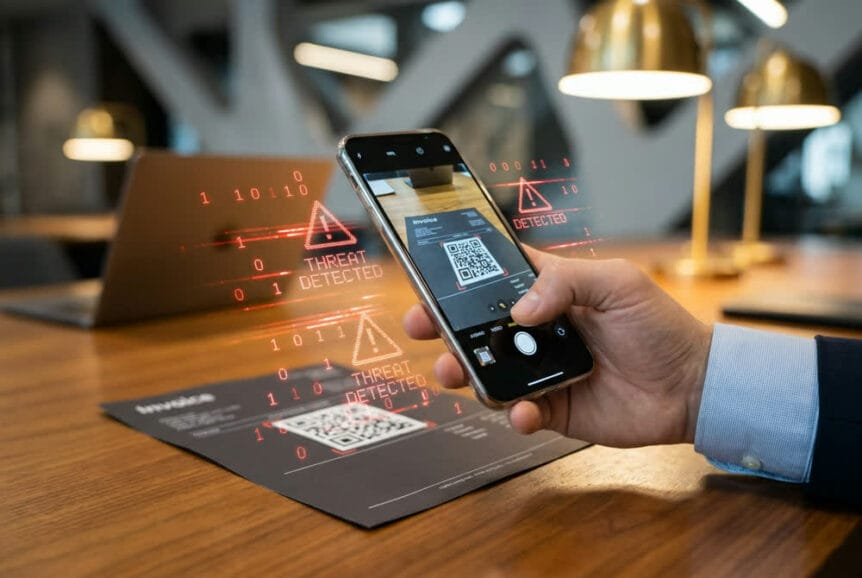
You scan QR codes without thinking twice. So do your employees. That reflex is exactly what attackers are counting on. QR codes now sit on restaurant tables, parking meters, invoices, and email attachments, and criminals have figured out how to turn that convenience into one of the fastest-growing threats your business faces.
Threat intelligence shows a 146% increase in “quishing” attacks during the first quarter of 2026, with March alone recording nearly 18.7 million incidents worldwide. Here is why that number matters to you, and what you can actually do about it.
Key Takeaways
- What it is: Quishing hides malicious links inside QR code images, so they slip past email filters that would block the same link as text.
- Why it works: The attack moves to a personal smartphone, outside your corporate security controls.
- Who is targeted: Small and midsize businesses see up to 19x more QR attacks than large enterprises.
- The cost: Successful incidents can exceed $1 million when you add up losses, investigation, legal, fines, and lost trust.
- The fix: A layered approach of employee training, email and mobile security tooling, and a practiced incident response plan.
Why Quishing Slips Past Your Security
Quishing combines “QR code” and “phishing,” but it behaves very differently from traditional email phishing. Conventional attacks use text-based links that security systems can read, scan, and flag. A QR code hides its destination inside a pattern of pixels, and that link stays completely invisible until someone physically scans it.
To your email security tools, a QR code looks like any other image, no different from a logo or a product photo. Without specialized decoding, spam filters, antivirus, and web gateways cannot see the URL buried in the code, so the message sails through defenses that would instantly quarantine the same link in text form.
The attack only activates when someone scans. The moment an employee points a personal smartphone at that code, the link opens on a device that sits outside your firewall, URL filtering, and endpoint protection.
That single shift, from your protected network to an unmonitored phone, is the whole game. Personal smartphones rarely carry enterprise-grade security controls. Many employees use the same device for personal and work activity, so one set of stolen credentials can open the door to your business systems.
Attackers have made this harder to catch. Some use dynamic QR codes that point to a safe site during review, then redirect to a phishing page after the email is sent. Others hide the destination behind URL shorteners and redirect chains that only reveal the real target at the last second.
How QR Codes Power Business Email Compromise
Criminals have folded QR codes into Business Email Compromise (BEC) attacks, and it has made them far harder to detect. A typical attack starts with an email that appears to come from an executive or trusted partner, built around urgency: a payroll update, a shared file, an MFA renewal, or an unpaid invoice. Instead of a suspicious text link, the message includes a QR code the employee must scan to “verify their identity” or “approve the transaction.”
Increasingly, attackers tuck these codes inside PDF attachments. The email itself has little text and no visible links, so it passes cleanly through security gateways. The PDF looks legitimate, complete with company logos. When the employee scans the code, their phone opens a convincing replica of a Microsoft 365 login, a DocuSign portal, or an internal system, often with their email address already filled in to reduce hesitation.
The most advanced versions use adversary-in-the-middle techniques that capture not just the password but the MFA code and session token too. That lets the attacker log in as the user without tripping a single security alert.
The Financial Impact on Businesses
The damage from a successful quishing attack reaches well beyond the initial breach. Organizations report costs exceeding $1 million per incident once you include direct losses, forensic investigation, legal expenses, regulatory fines, and eroded customer trust. That places quishing among the most expensive incidents a business can face.
Small and midsize businesses experience up to 19x more QR code attacks than large enterprises.
SMBs are prime targets because they often lack a dedicated security team, while their decision-makers still have direct access to financial systems and sensitive data. The threat is also changing customer behavior: nearly 40% of users now hesitate before scanning a QR code, even from a business they trust. When that hesitation hits your checkout or promotions, it slows transactions and costs you engagement.
Common Scenarios Being Targeted
Quishing shows up most often in a handful of everyday situations:
- Parking payments: Attackers stick fraudulent QR codes over legitimate ones on meters and pay stations, sending drivers to fake payment portals. Schemes have hit multiple states, including fake violation notices demanding small payments like $6.99.
- Restaurant menus: Criminals swap real menu codes for malicious ones that request payment details or push malware.
- Delivery notices: Fake door tags and flyers claim a missed delivery and urge you to scan to reschedule, leading to credential theft.
Right here in South Florida, Fort Lauderdale saw a significant incident when scammers placed fake QR stickers on parking meters and “Pay by Phone” signs across the city. Workers removed fraudulent stickers at seven locations, but more appeared the next day. The fake codes even displayed trusted logos like “Parkmobile” while redirecting users to sites built to steal banking information.
Red Flags Every Employee Should Know
Technology matters, but your people are the first line of defense. Train them to pause before scanning, and to watch for these warning signs.
In Emails
- Urgency: “Scan within 2 hours,” “verify before your account expires,” or “approve this payment now.” Legitimate IT teams and partners do not set sudden, arbitrary deadlines.
- Unexpected codes from people you know: A QR code from your CEO for “urgent payroll updates” or from HR to “confirm benefits” deserves a direct call or message using contact details you already have, never a reply to the suspicious email.
- Context mismatch: Be suspicious when a message about a computer or server issue asks you to scan with your phone. Real business processes rarely require that.
On Physical QR Codes
- Stickers over stickers: Check whether the code is a separate piece stuck to the surface. Look for peeling edges, adhesive residue, or scratches.
- Poor quality: Blurry, low-resolution, or crooked codes suggest something applied in a hurry without authorization.
- Branding that does not match: Compare the code’s logo and style to other official signage. City parking codes should carry city branding; a restaurant code should match the restaurant. Missing or unfamiliar branding is a red flag.
Checking the Destination
- Preview the URL: Modern phones show the link before opening it. Use that moment. Look for “https://” and a padlock. Its absence is a warning, though its presence is not a guarantee.
- Watch for look-alike domains: Attackers register names like “arnazon.com” (an ‘m’ replaced with ‘rn’) or “micros0ft.com” (an ‘o’ replaced with zero). Confirm the spelling and the correct extension (.com, .org, .gov).
- Distrust shortened links: Services like bit.ly hide the real destination. If a business QR code uses one, verify through official channels before continuing.
How to Protect Your Business
Effective defense comes from layering employee education, technology, and a clear response plan. No single tool does the job alone.
Employee Training and Awareness
- Make QR codes a specific topic. General phishing training is not enough. Run regular sessions that show real quishing examples, both email-based and physical, tailored to your industry.
- Include QR codes in phishing simulations. Test whether staff can spot suspicious codes in realistic settings like fake parking notices or impersonated executive requests, and give immediate feedback when they slip.
- Set a verification rule. For any code requesting sensitive info or a payment, verify through a second channel using contact details already on file. This one habit breaks the urgency that most attacks depend on.
Technology and Security Tools
The right tooling closes the gaps that training cannot. As your MSP, we help clients deploy and manage these layers rather than leaving them to chance:
- Advanced email security with QR detection: Modern platforms decode QR images before delivery, extract the hidden URL, and check it against threat intelligence and sandboxing. Suspicious messages can be quarantined, banner-tagged, or blocked based on your policy.
- Mobile Device Management (MDM): Enforces security baselines such as encryption, access controls, and content filtering that blocks known malicious domains on devices touching business data.
- Mobile Threat Defense (MTD): Actively checks the destinations of scanned codes against threat databases and blocks credential-harvesting sites before they load.
- Secure QR scanner apps: For staff who scan codes often, these preview the full URL and warn against known phishing or malware domains before opening.
Incident Response Procedures
Assume that eventually someone will scan a malicious code. A practiced plan is what limits the damage. Every employee should know these immediate steps:
- Disconnect the device from Wi-Fi and cellular data to stop downloads or data theft.
- Close the browser or app without entering any information if a suspicious page loads.
- Report it to IT immediately, with screenshots and details about where the code came from.
- Change passwords for email, banking, and business accounts from a trusted device if any credentials were entered.
- Run a security scan to check for malware.
Your IT team’s protocol should include isolating the device through MDM, blocking the malicious URL at the firewall and DNS level, invalidating active sessions and tokens for that user, and resetting credentials for any systems recently accessed. If the code was physical and located at your business, remove or cover it right away and warn other staff.
Get Ahead of Quishing Before It Reaches Your Team
QR code phishing exploits a real gap between your email security and your employees’ phones, and that gap is widening. The good news is that it is defensible with the right combination of awareness, tooling, and response planning.
We work with businesses to close that gap. Here is how we can help you get started:
- Free quishing-readiness assessment to review your current email and mobile defenses and find your weak points.
- QR-aware phishing simulation to see how your team responds before an attacker does.
- Custom incident response plan built around your technology, processes, and risk.
Ready to protect your business? Contact our team today to schedule your assessment.