Multi-factor authentication was supposed to end credential theft. For years it was the definitive answer to password attacks, and for good reason. But criminals have quietly turned MFA from a barrier into just another step in their workflow, and they have done it without discovering any new flaw in the technology itself.
What changed is the business model. Attacks that once demanded deep technical skill and custom infrastructure are now rented as subscription services starting around $200 a month. Anyone with a credit card can launch them. The barrier to entry has collapsed, and that expands the pool of people who can target your business.
The good news: proven, affordable defenses exist. Some you can turn on this week. Below is how these attacks actually work, how to spot them, and exactly what to do about it.
Key Takeaways
- The threat is now rentable: “Phishing-as-a-service” kits sell MFA bypass to anyone, no skill required.
- Your MFA still works, but it is not enough: Attackers relay your real login in real time and steal the session token, not just the password.
- SMS, app codes, and push approvals are all vulnerable to this technique.
- Employees have one job: check the domain before logging in, and never approve an MFA prompt because someone on the phone told you to.
- The fix exists: phishing-resistant MFA (FIDO2/passkeys), device trust, and monitoring that watches successful logins, not just failed ones.
Phishing-as-a-Service: MFA Bypass for Rent
The market for these tools operates openly on platforms like Telegram and specialized dark web forums. It functions like any other software-as-a-service business, complete with customer support, tutorials, and regular feature updates. Subscribers pay in cryptocurrency, then access their phishing infrastructure through dedicated portals.
Pricing and packaging vary, but the pattern is consistent: low monthly cost, turnkey setup, and ongoing updates that keep the tools working as defenses evolve. Trials run as low as $120 for ten days, and some providers even sell perpetual licenses with source code so more skilled criminals can build their own variants.
The Skill Barrier Has Disappeared
The technical requirements for an MFA bypass attack have effectively vanished. These services do the hard work for the customer:
- No coding needed: Users pick a target platform from a dropdown, customize the lure message, and launch.
- No infrastructure to manage: Hosting, phishing templates for major platforms, and evasion updates are all included.
- Full support: Providers assist subscribers through chat channels and even offer video walkthroughs from setup to extracting stolen access.
The result is a dramatically larger pool of attackers. The skilled criminal groups that once represented the main concern now share the field with opportunists, disgruntled ex-employees, and curious amateurs who found the tools advertised online.
Why This Threat Is Here to Stay
The economics guarantee it. For a criminal, a $120 trial is minimal risk against a huge potential payoff, since a single compromised business account can unlock financial systems, customer data, and trusted relationships. For providers, recurring revenue funds constant development. When security vendors ship new protections, the services update to beat them. When law enforcement takes one provider down, the profits ensure another takes its place.
How These Attacks Defeat Your MFA
The key insight is that modern phishing kits do not try to break or bypass authentication. They fold the entire authentication process, MFA included, into the attack itself.
Old-school phishing used static fake login pages. Victims typed credentials into a copied form, criminals collected them, and tried to use them later. That approach died once MFA arrived, because a stolen password alone was no longer enough. Real-time phishing closes that gap by relaying the login as it happens and capturing the authenticated session that results.
The Adversary-in-the-Middle Attack, Step by Step
Here is how it actually unfolds:
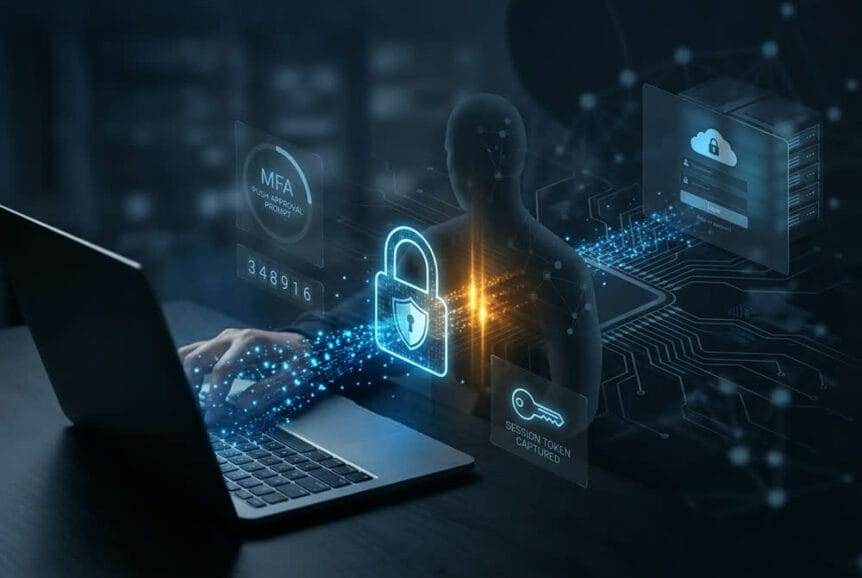
- 1. The click. The victim clicks a link in a phishing email or text. Instead of a fake page, it points to a reverse proxy server the attacker controls, sitting invisibly between the victim and the real login service.
- 2. The real page loads. The proxy fetches the genuine login page and shows it to the victim. It looks identical because it is the authentic page, just viewed through an intermediary.
- 3. Credentials are relayed. As the victim types their username and password, the proxy instantly forwards them to the real service, which accepts them and issues an MFA challenge.
- 4. MFA is relayed too. The victim sees a normal MFA prompt (because it is normal) and enters their code or approves the push. The proxy captures that response and passes it along.
- 5. The token is stolen. The real service validates everything and issues a session token proving successful login. The proxy grabs that token, which grants full account access with no further credentials or MFA required.
Why Every Common MFA Method Is Vulnerable
The root weakness is that traditional MFA relies on transferable secrets. SMS codes, authenticator app (TOTP) codes, and push approvals all prove a user participated in a login, but none of them verify where the request came from. The proxy captures whatever the user provides and relays it within seconds, well before it expires.
- SMS and app codes: These are just strings the user types into a form. The form being fake makes no difference; the code works either way.
- Push approvals: A user taps “approve” without any way to confirm the login attempt is really theirs, especially when a convincing phishing email arrived moments earlier.
When the Phone Rings: Coordinated Attacks
Attackers boost their success rate by pairing the email with a phone call. Soon after the phishing message lands, the victim gets a call from a supposed IT support rep following up on the exact issue in the email. Using details from social media, company sites, or past breaches, the caller knows the victim’s name, role, and tools, and may even spoof the company’s real IT number.
As the victim reaches the phishing site, the caller guides them through each step. When the MFA prompt appears, the caller says something like, “You’ll see a verification request now. Please approve it so we can finish the security update.” That turns the MFA prompt from a warning into an expected part of a “legitimate” support call, and the victim’s natural hesitation disappears.
For every employee, this is the one thing to remember: Check the web address before you type your password, and never approve an MFA prompt because someone on the phone told you to. Real IT support will never call and ask you to approve a login or read out a code. If that happens, hang up and call back on a number you trust.
How to Recognize an Attack
Detection happens at two levels: what your employees can catch in the moment, and what your IT team can spot in the logs.
What Employees Should Look For
- Check the domain, every time. These attacks make perfect visual copies of login pages, but they cannot fake the real address. Watch for lookalikes like microsoft-sso.com instead of login.microsoftonline.com, or tricks like a zero for the letter O, added hyphens, or words like “secure” or “verify” bolted onto a brand name.
- Ignore the padlock as proof. Attackers get valid certificates too. HTTPS only means the connection is encrypted, not that the site is real.
- Treat “log in, then a call to approve” as an attack. An email or message that pushes you to log in, followed by a call asking you to approve prompts, is a classic coordinated attack pattern.
What IT Teams Should Monitor
The critical shift is to watch successful logins, not just failed ones. These attacks work by generating legitimate authentication events, so the red flags appear in what happens after login:
- Anomalous tokens and unfamiliar sign-in properties: Identity platforms like Microsoft Entra ID flag tokens with odd lifetimes or logins where the IP, device, or app differs from the user’s normal baseline.
- Impossible travel: Activity from New York and then Singapore 30 minutes later means one session is almost certainly a stolen token in use from attacker infrastructure.
- Unexpected non-interactive sign-ins: A spike in automated, non-interactive logins from unusual locations suggests stolen refresh tokens being replayed.
- Compressed, high-privilege activity: Attackers rush to extract value, so watch for a rapid burst of sensitive actions, such as accessing files, changing security settings, creating mailbox forwarding rules, and registering new devices, all within minutes.
How to Stop These Attacks
Traditional MFA alone can no longer carry the load. The answer is phishing-resistant authentication that cryptographically ties logins to trusted devices and legitimate domains, backed by device trust and monitoring. Here is how we prioritize it for the businesses we support.
Quick Wins You Can Act On Now
- Move away from SMS and push approvals for your most sensitive accounts, since these are the easiest to relay.
- Require callback verification for any IT support interaction involving authentication. Hang up and dial a known company number.
- Shorten session lifetimes so stolen tokens expire sooner and require re-authentication.
- Tighten email security, since nearly every one of these attacks starts with an email lure.
Phishing-Resistant MFA: The Core Fix
FIDO2-based authentication is the most accessible phishing-resistant option for most businesses. It uses public key cryptography to bind logins to a specific domain, so a phishing site simply cannot capture anything usable, no matter how convincing it looks.
- Passkeys for most staff: Windows Hello, Apple Touch ID, and Android biometrics all support FIDO2 with no extra hardware. A fingerprint or face scan authenticates the user, and it only works on the real domain.
- Hardware keys for high-value targets: Administrators, executives, and finance staff should use physical security keys (around $50 per user) that must be present to log in. This protection cannot be phished.
- Choose the right platform: When evaluating MFA providers, prioritize native support for FIDO2 and passkeys to keep deployment and management simple.
Device Trust and Token Protection: The Larger Roadmap
Even with phishing-resistant MFA, you should limit where any issued token can be used:
- Token protection: Bind session tokens to specific registered devices so they are useless if replayed from other hardware.
- Conditional Access: Require devices to be compliant or joined to your identity system before authentication succeeds. This blocks an attacker’s proxy even if they relay credentials and MFA.
- Network controls: Restrict sensitive access to trusted IP ranges or require VPN, so stolen tokens only work from authorized locations.
People and Process
Technical controls need supporting habits. Train employees on the specific tactics above, not just generic phishing awareness, and make the callback-verification rule non-negotiable. Then validate it: run simulated phishing exercises that include the coordinated phone-call element, and test whether your Conditional Access policies actually block logins from unmanaged devices and whether your monitoring catches token-theft behavior.
Get Ahead of Modern Phishing Before It Reaches You
The rental economy for MFA bypass has changed the threat landscape for good. Your business now faces attacks that were once reserved for well-funded criminal groups. The defense is to evolve past traditional MFA toward phishing-resistant authentication, device trust, and monitoring that catches successful attacks rather than only blocking failed ones.
We help South Florida businesses put these protections in place in practical, cost-effective ways that do not disrupt daily work. Here is where we can start:
- Authentication security assessment to find where your current MFA leaves you exposed.
- Phishing-resistant MFA rollout using passkeys and hardware keys, prioritized by risk.
- Coordinated-attack simulation to test how your team handles the email-plus-phone-call playbook.
Concerned about your exposure? Contact our team today to schedule your authentication security assessment.